TLDR; #
It has been said many times before, and I will re-iterate it here once again. You do not need hundreds of pounds worth of fancy equipment to create amazing things. Does it go smoother if you do, probably, but where’s the fun in that?! 🤣
This is a look into my journey of setting up and streaming ‘introducing’ style live music sessions for the Lincoln School of Film & Media.
Earlier this year, before lockdown; myself and Peter Riggs launched ‘Brayford Afterdark’ with the goal to help promote and grow smaller artists through our network – a student ran music discovery service if you like, inspired heavily by Audiotree over in Chicago.
🎧🎬This kind of work is a dream come true for me, and is always what I’ve enjoyed doing the most – so, behold – this is how we did it.
As media students, we all used whatever equipment we could get our hands on to make it work with a very heavy ‘build overbuy’ kind of mentality, especially because at the end of the day, we we were all broke college students!
🎧The audio side of things – Capturing the live sound and broadcasting it to two different platforms simultaneously. #
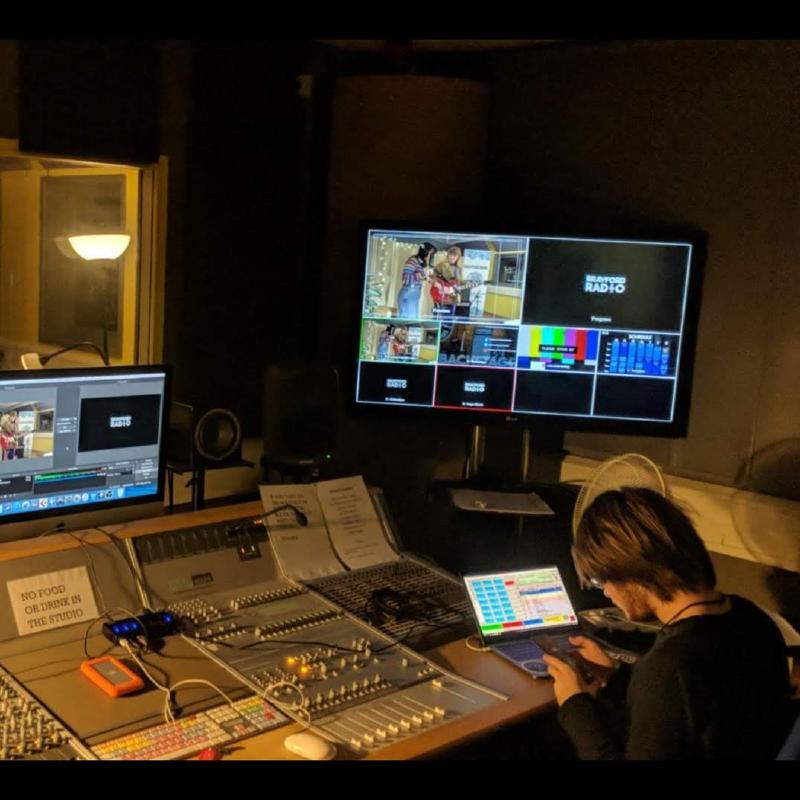
We used Recording Studio 1 at the University of Lincoln for all of our live sessions in season one. We used a combination of different mics to capture the sound and mixed it all live using an Audient Console (ASP 8024) and two outboard compressor units. (thanks to Freyja Smith’s, Harry Mason’s and Annabel Wall’s amazing live audio skills.) A DSP (maybe SoundGrid? 👀) would be handy here for more control, but this will get us going!
We mainly used a mix of SM57’s, SM58’s, Audix Drum Mics and AKG 414’s for our microphones in the live room.
After the mix goes through the Audient Console (I could write a whole separate post just on that); I took the master tape (L/R) signal out of the patch bay and ran it into a Focusrite Scarlett 2i2, which was then connected via USB into the master iMac that we had running the studio. This was then routed into a truly awesome bit of software developed by Zach Poff that takes an audio signal and transfers it in real-time over a local network (a little like a Dante/Rednet/VBAN network), in this case we were sending this output to a Mac we had previously set-up in the Brayford Studio.
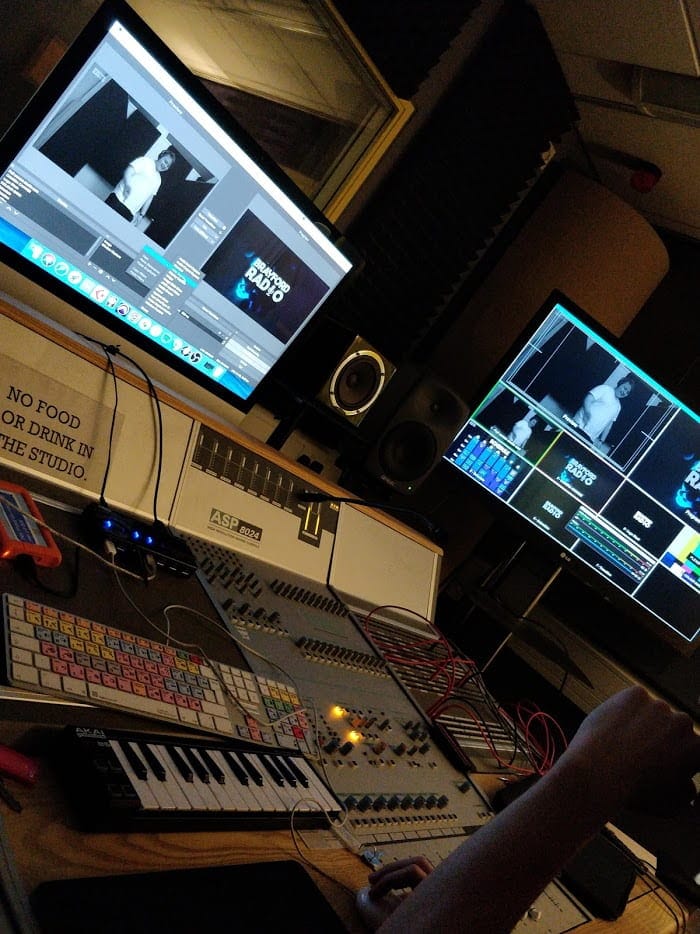
If you’re on Windows (and maybe even Linux but don’t quote me on that!), the exact same thing can be done using another free piece of software called ‘VB Audio Voicemeeter’ using the VBAN protocol. (it’s really handy and works very well! I used it for multi-room audio at home once when I wanted to play vinyl in the living room/kitchen…)
The audio stream for the Twitch video stream was fed by the output of the Orion 32 track USB interface that lives in the studio, fed directly into OBS. Due to limited CPU resources, we never captured the raw audio live in a DAW like Pro Tools or external audio recorder, however, this is hopefully changing in season two.
In the earlier streams, before I learnt the correct patch bay routing, I simply took two outs from the headphone distribution amp to provide a very mono signal for people listening on the radio and not the video stream, not ideal – but worked okay, especially considering most of our viewers were watching on the Twitch video platform, and not the audio-only radio platform.
I also used the two inputs on the front of the Focusrite interface to hook up my laptop to run station branded jingles, sweepers etc. I had full control over the playout system (Myriad 4) in the Brayford studio via remote desktop (TeamViewer), but for jingle/sweeper/ident playout I actually used a free web-app called ‘My Cartwall’ by Playit Software which runs in a web browser and is super easy to configure and use.
The Set & Process! #
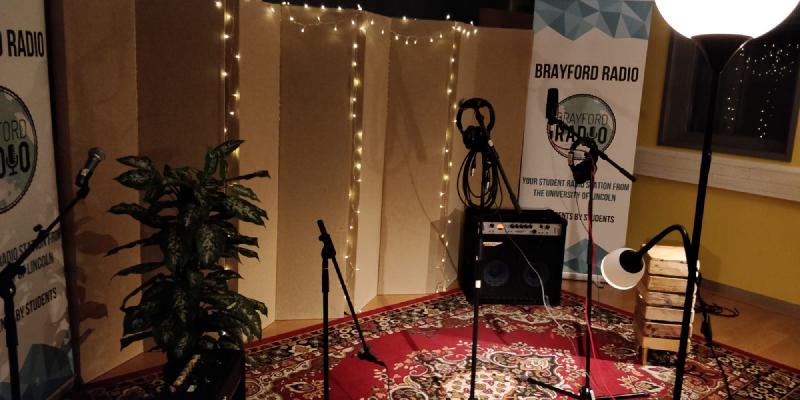
I haven’t got a whole lot to say about the set – other than it’s incredible and made possible by our awesome team – Harry Mason, Freyja Smith, Annabel Wall, Kyle Odefey and Peter Riggs. I’d also like to say a big thank you to Zara Healy for the banners for the station too! (if anybody in LSFM noticed the plants from the common area’s went missing whilst we were doing a set, this is what happened to them, not sorry. 😅)
Our process usually involved setting the studio up from around 5/6, We’d often meet the artists that were playing in the Swan over the road and begin soundcheck and stage set-up at 7:30/8 (depending on the size of the group), to go live round about 9pm. Adele Wilkinson’s New Music Show would air in the hour before us on the station, and the stream would switch over at 9 to recording studio 1, thanks to Adele for fading up the network stream in the Brayford studio. Adele’s radio show is still going strong, and you can tune in Monday’s 8-10PM now. 🙂
🎥The visual side of things – Capturing the action in 1080p and streaming to twitch.tv/brayfordafterdark #
We streamed in 1080p, 29.97fps to our channel on Twitch.tv using OBS (Open Broadcaster Software).
The video switching was incredibly basic, running two or three camera feeds into a consumer HDMI matrix into a USB Capture Card, and hiding the long periods of cutout from the time it took the matrix to re-route different HDMI inputs by using 3-5 second long stingers that we made in After Effects.
Ideally, we need something like a Blackmagic Production Switcher, but with their cheapest mini switcherbeing priced at £285, it’s not very student budget-friendly – So it’s looking like we’ll keep using a multitude of different capture cards (an upcoming project of mine could potentially include retro-fitting a PCI Capture-card into a mini Dell Optiplex to rack-mount) into OBS for now.
Camera-wise, we used Peter’s Sony Nex fs100 and Kyle’s Canon DSLR (I think it was a 70D but I can’t remember). For these kind of productions, I think semi-freehand with maybe a steady cam rig is best to move around and capture the live-action up close. Huge thanks to Kyle Odefey for being our resident camera operator, we’re going to miss him in season 2 if he can’t get back from America! 📸
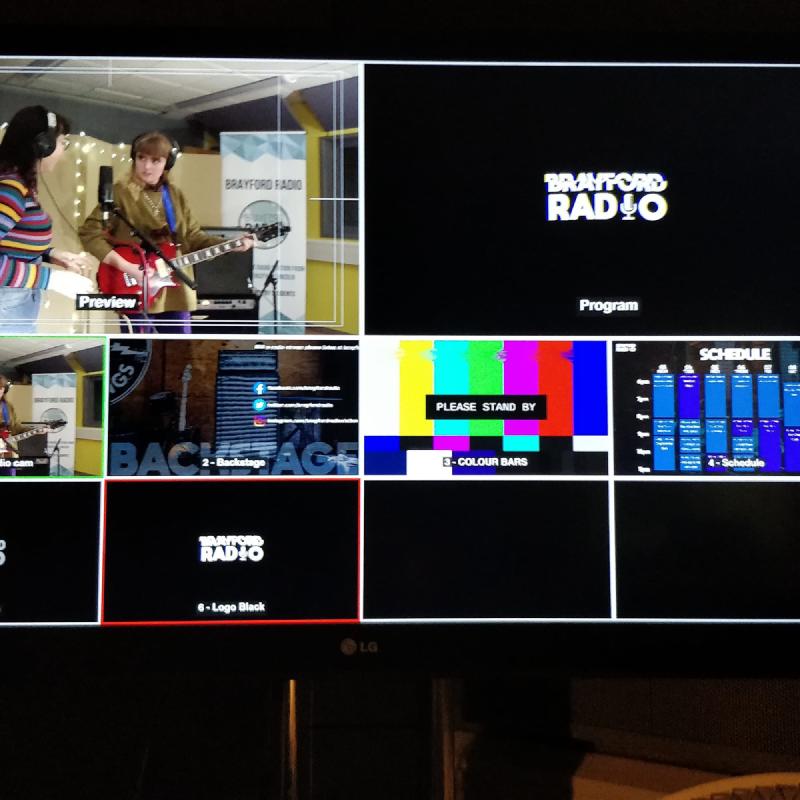
Similar to a multi-view output from Blackmagic’s gear (I used to use a Blackmagic 4k Production Switcher regularly on some older events) OBS can provide a nice fullscreen multi-view, which we projected onto a TV in the studio control room.
Future plans & Afterdark S2 (Hopefully🤞🏻) #
The Brayford Afterdark project is great fun, helps grow artists through our radio station, helps bring new listeners to our radio station, helps engage our audience, and even provides some work experience-esk opportunities to fellow students working on the project. I’ve started working on plans for a portable rack mount carry-on like unit to provide better performance for streams, additional audio processing and hopefully better live camera switching – so stay tuned for more techie ramblings soon! 😃